AMYboard - a DIY modular synth for only $29.90
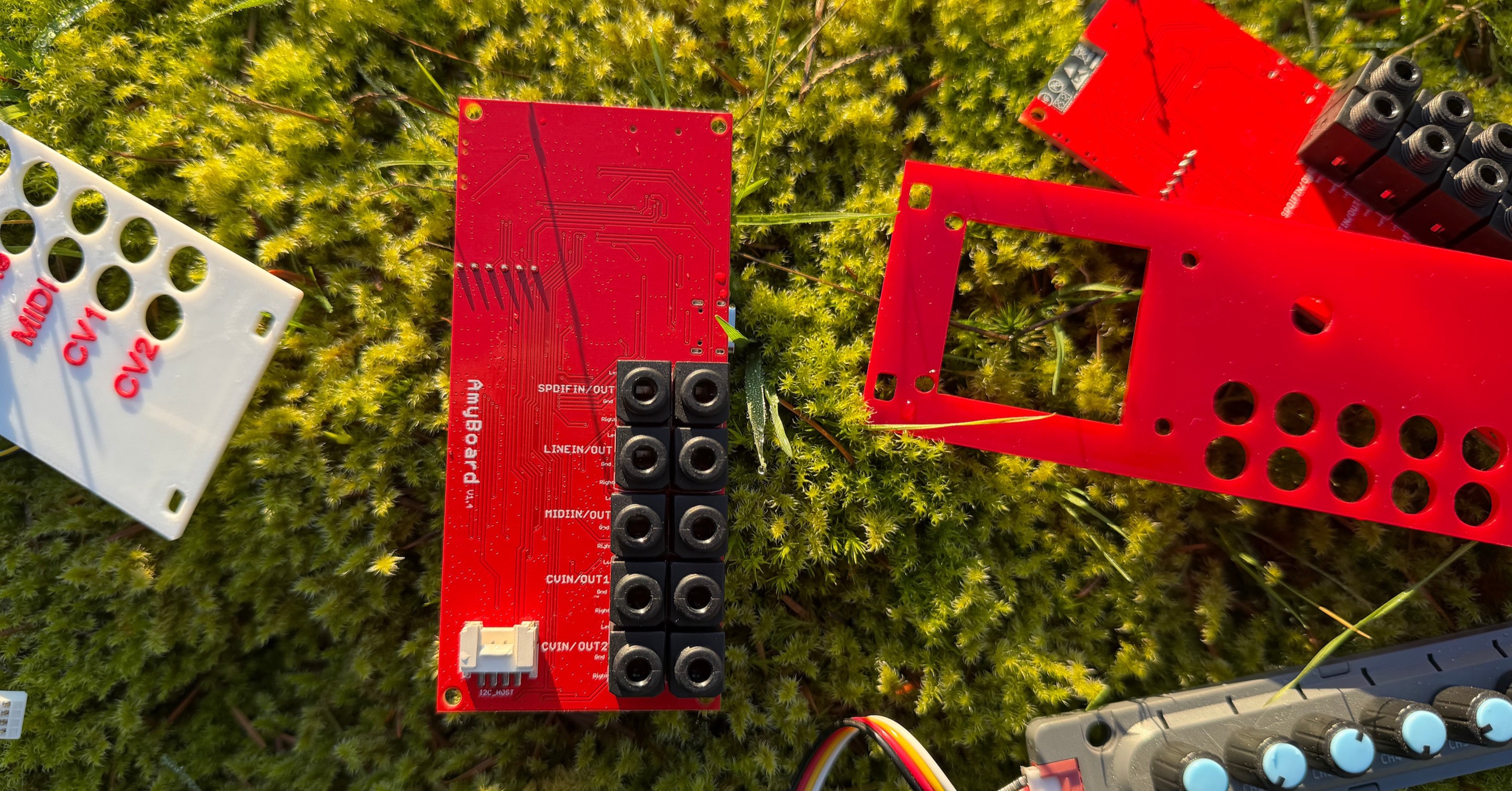
AMYboard in action
Today, we’re launching a new music hardware platform! Meet the AMYboard, a 10HP modular-sized synthesizer brimming with inputs and outputs for digital and analog audio, MIDI, and two CV channels. The AMYboard firmware runs Micropython, and can be controlled and programmed over the web, where you can share your own creations with others. You can also use AMYboard in Arduino to create music devices of your own design. It’s only US$29.90 - a very inexpensive way to get started making your own modular-capable synths. It can be powered over USB or a 10-pin modular power cable, and comes with a 10HP laser-cut faceplate. You can buy one today!
AMYboard is powered by AMY, the synthesis and effects toolkit that DAn Ellis and I have been working on for the past few years. AMY is a beautiful-sounding, efficient re-creation of classic analog synths – like the Juno-6 – and FM synths – like the DX-7. It can also act as a sampler, play WAV files, or let you make your own synthesizer setups in code from bare oscillators, effects, and filters. AMY is open-source and runs on all sorts of hardware. It already powers some neat synths like the Diapasonix, the Spark, and our own Tulip Creative Computer. AMYboard is our “reference hardware” for AMY - running the same ESP32-S3 as Tulip with 8MB of RAM, but with new features including both analog and S/PDIF (digital) audio input and output, enabling live effects, sampling, and filters. We’ve also added an SD card for sample storage, and an I2C host port for connecting your own displays and knobs!
AMYboard launches with AMYboard online – a web based simulator and control surface for the AMYboard. You can experience AMYboard online before even buying an AMYboard. AMYboard online runs the same core engine as the AMYboard hardware (ported to WebAssembly) so you can set up and interact with the synthesizer over the web. When you’re ready, you plug in your AMYboard, download your patch, or control it in real time over the web, including the capability to edit and store code on your hardware that will boot up the next time you turn it on. AMYboard’s default firmware allows anyone to code their synth creations in MicroPython running on the hardware; the AMY synthesis engine itself runs in bare-metal C, but you can load your own “sketches” onto the board to build complex environments. For example, here’s a generative house track with a Derrick May custom “WOODPIANO” FM patch. Or here’s a TB303 + 808 acid setup. Or add a filter and reverb to a DX7 patch. AMYboard online also comes with AMYboard World, an online community for AMYboard users to share sketches with each other. We’re really excited to see your cool creations, please do share them!
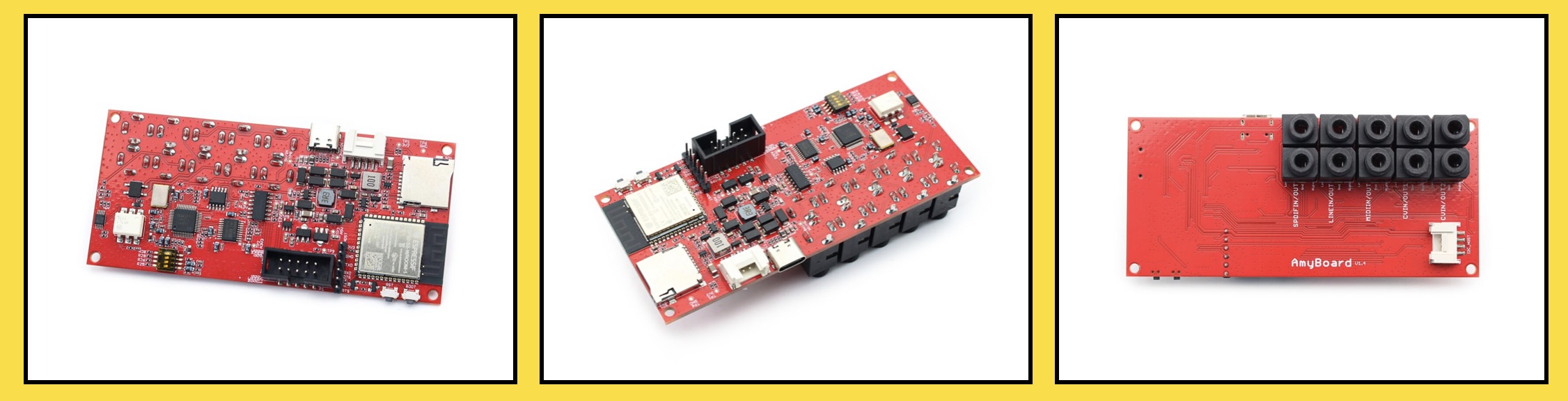
AMYboard’s incredible low price may be its best feature. DAn and I worked for the past year with our friends at Makerfabs to get the AMYboard down to the lowest price possible, while maintaining studio-quality audio DAC and ADC, digital audio I/O, and reliable 3.5mm jacks. We want the AMYboard to be a canvas for anyone to make the synth of their dreams, at a price one-tenth or less of the entry fee that other modular-type synthesizers charge. It’s not a flashy designer product – you’ll want to make your own front panel labels or bring your own knobs and screens – but the stuff that matters is top-rate and the perfect starting point for your ideas. We would love for you, the users, to help us along with features, shared sketches, and future ideas. Everything about AMYboard is dynamic and open-source – if you’ve got a Tulip, you know that we continue to add new functionality two years after its initial launch.
Here’s some things you can do with your $29.90 AMYboard:
- Play accurate Juno-6 and DX7 patches (and make your own) from MIDI or CV input
- Map CV to MIDI and vice versa
- Sample live audio and play it back with pitch and filter control
- Trigger audio samples from an SD card
- Compose generative or reactive music in Python
- Build your own synthesis engine in Arduino
- Swap the analog ports from 1vpp (line) to 10vpp (modular)
- Add an OLED screen and a rotary encoder
- Use as a USB MIDI interface on your computer
- Set MIDI ControlCodes or analog Control Voltage inputs to manipulate synth parameters in real time
- Sonify audio from the internet over Wi-Fi
Head on over to the AMYboard website and pick one up – or five! (you can easily chain AMYboards together via S/PDIF and I2C.) Find us on our Discord or Github for more!
– -Brian & DAn